¶ Zebra - Freshlot App installation
/// Create QR code for Freshlot application & add here ///
1. Scan the QR code above, utilizing Google lense or a similar alternative to instantly be redirected to the production Freshlot installation for Android Zebra scanner devices;
2. This will then open a browser window. Please note that you might have to copy the URL and open it in a Chrome browser tab if you were not automatically redirected;
3. Select the 3 dots (⋮) icon in the top-right corner & then scroll down to Add to Home screen;
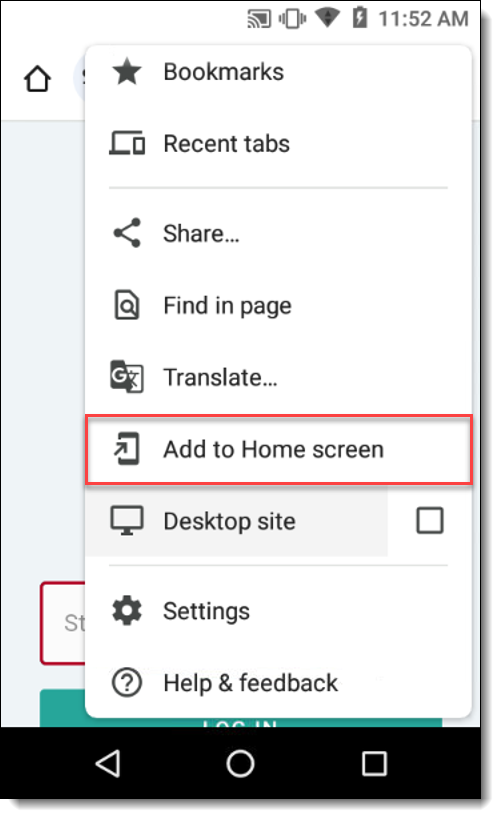
4. Select the Install option;
5. Open the application and log in. If prompted to save the password, select "Never for this site" option.