¶ Receiving
For the goods to be received, firstly there should be created a purchase order from a vendor.
To create a purchase order user must navigate to purchase orders in Business Central by clicking on the lookup button on the top right.
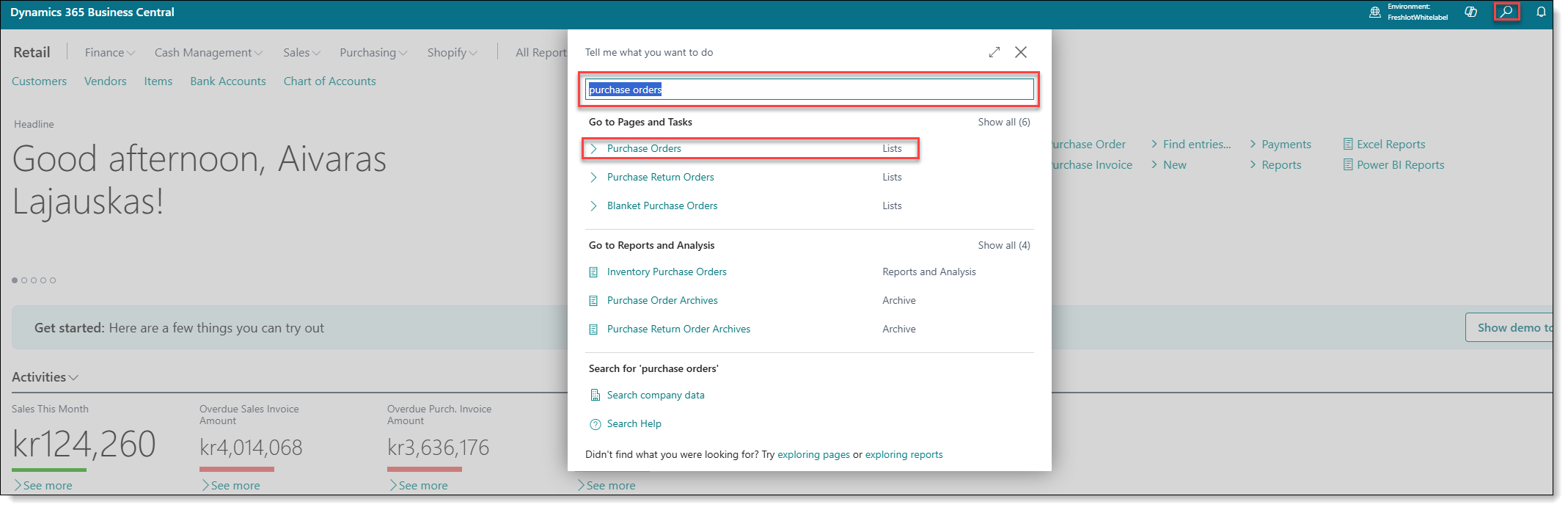
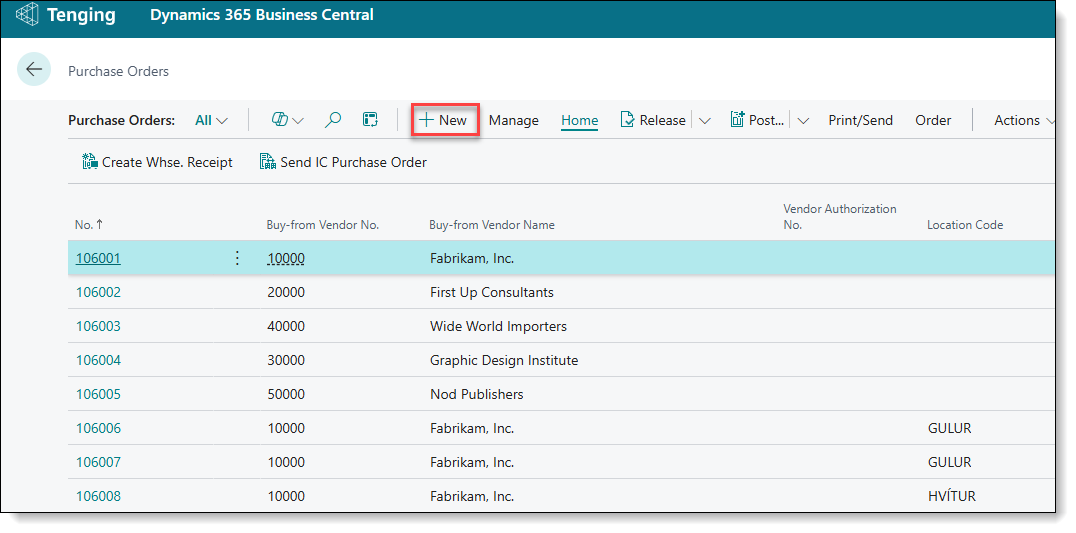
When user will navigate to purchase orders page, he will be able to see all of the purchase orders that were made. User will be able to also use functions as manage, process, release and others from the task bar. If user will click on the order, on the right side he will see more information regarding it. If user will click on the order number, he will be directed to the order. To create a new purchase order, user has to click on button New , user then will be re-directed to another page with a blank order that user will need to fill out.
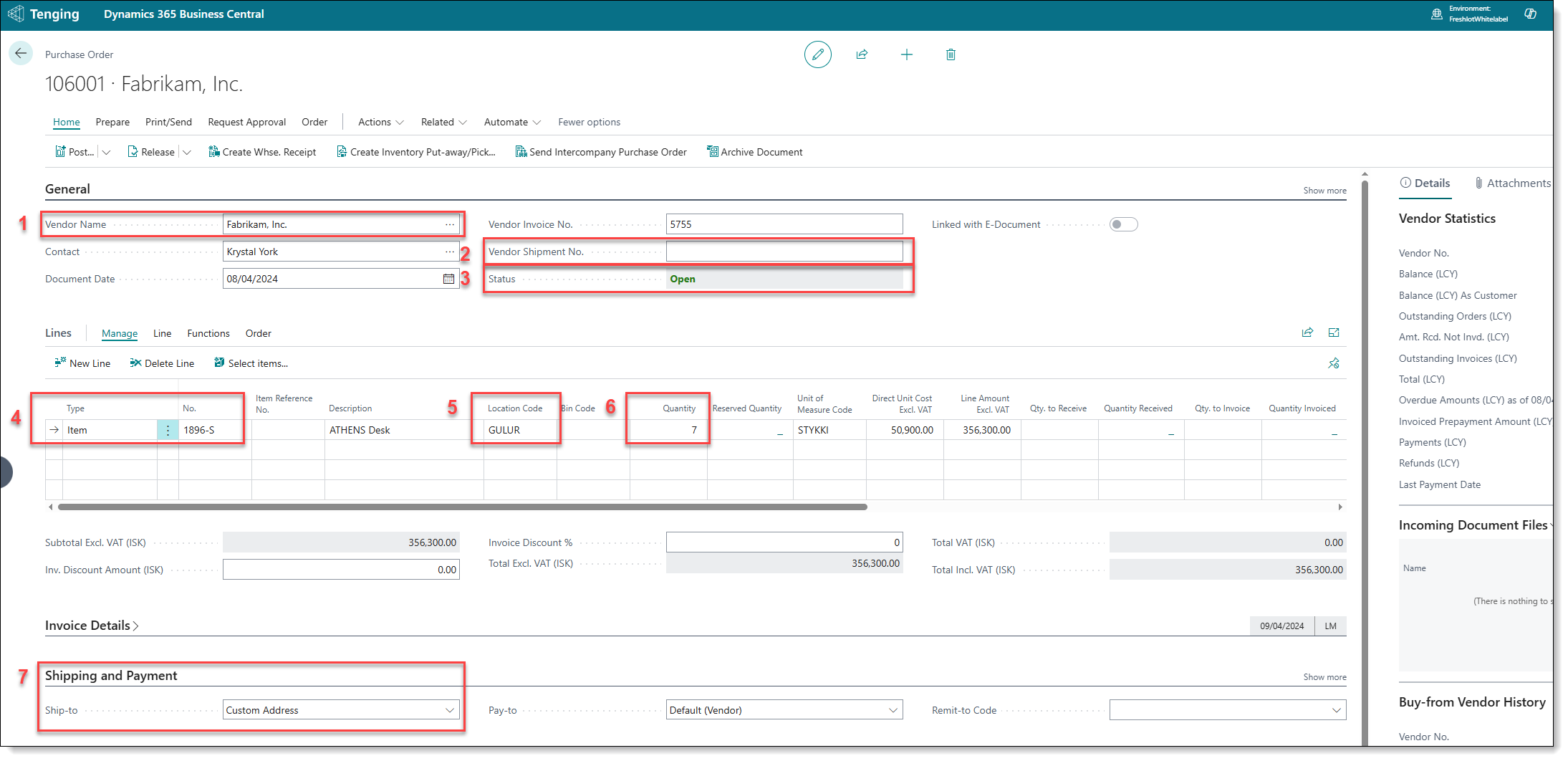
After user click on New , user will have to fill in the manditory fields such as:
- Vendor Name - user can click on the 3 dots that are in the field and select a vendor name from the list.
- Vendor invoice number - this field will need to be populated with a uniuqe order number from the vendor.
- Status - throughout the purchase function usage, user must always check the status of the purchase order. Status Specifies whether the record is open, waiting to be approved, invoiced for prepayment, or released to the next stage of processing. If one status is in place, functionality the purchase order will be limited.
- No. - User will need to enter item No., or click on the field and select it from the drop down list.
- Location Code - Location will be selected automaticly by default, but user needs to keep a look if field populated accordingly. If needed, it can be changed.
- Quantity - This field indicates items quantity, that user is purchasing.
After the document was preparred - Warehouse document has to be created using "Create Inventory Put-away/Pick/Movement" function.
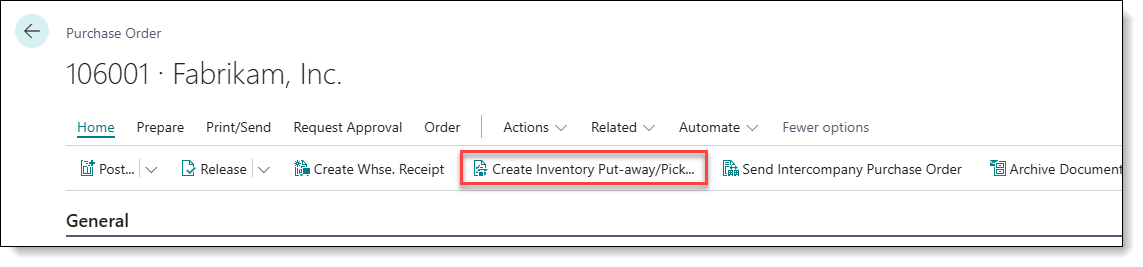
After successful document creation - receiving process can be finalized in Freshlot App