Item Reclassification Journals in Business Central are utilized to make direct changes to current Inventory - Change location and Bin Code or even change Item Tracking code.
This instruction will walkthrough how to change Lot No. for available Item entry.
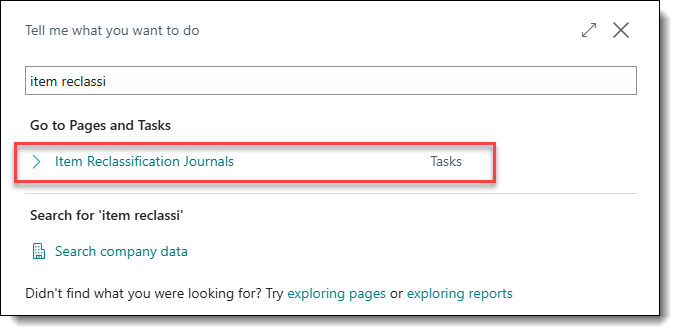
1. Lot No. information could be updated/changed through the Item Reclassification Journal. The user has to enter the required information:
- Item No.
- Location code/Bin Code
- New Location Code/New Bin Code
- Quantity
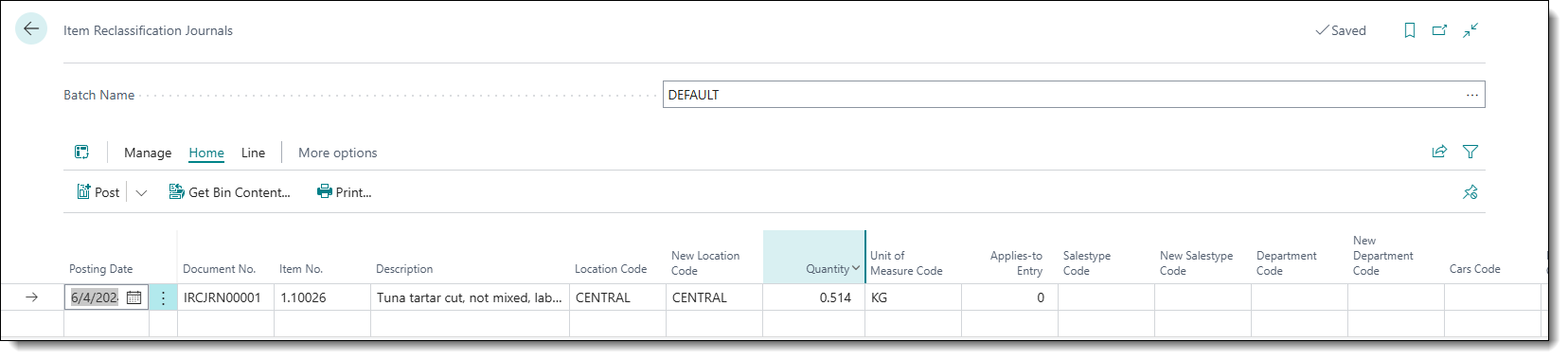
2. The user has to open Item Tracking Lines.
- More options → Related → Line → Other → Item Tracking Lines.

3. The user has to enter the Lot number they want to adjust. And then enter the New Lot No
(The Lot No can stay the same if only Expiration Date will be changed).
The New Expiration Date can be entered.

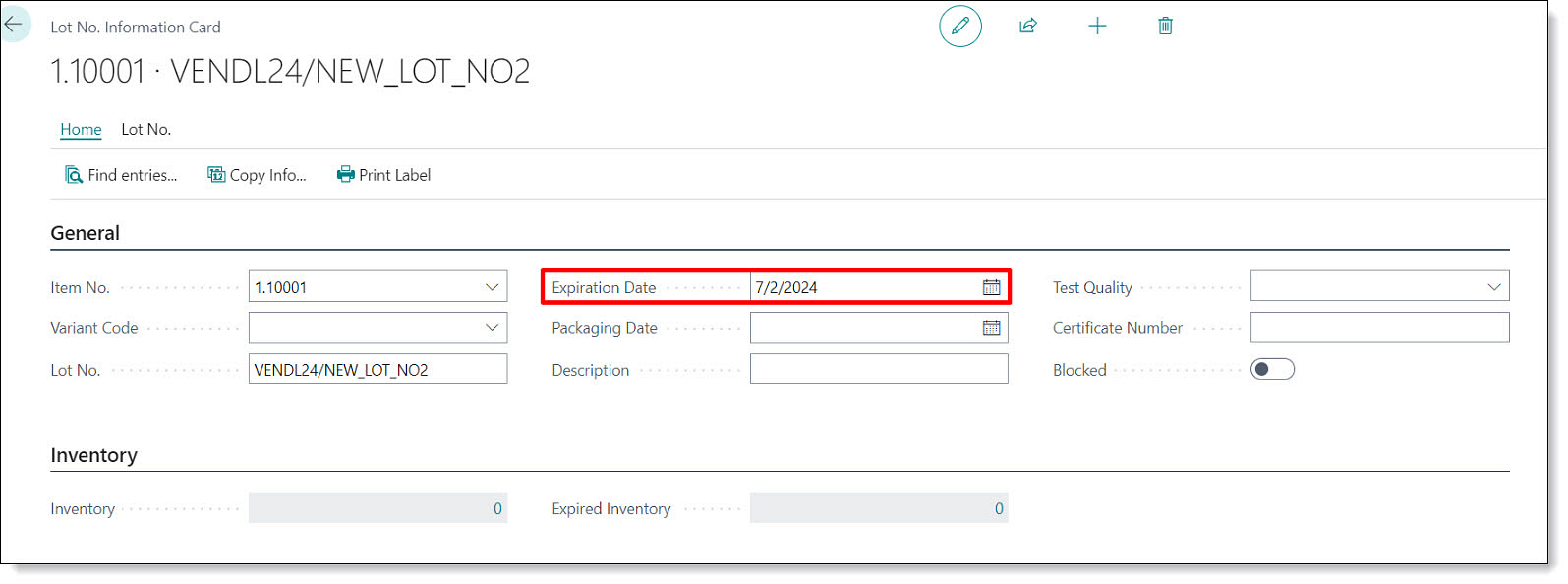
4. The Expiration Date should be populated in the New Lot Information as well.
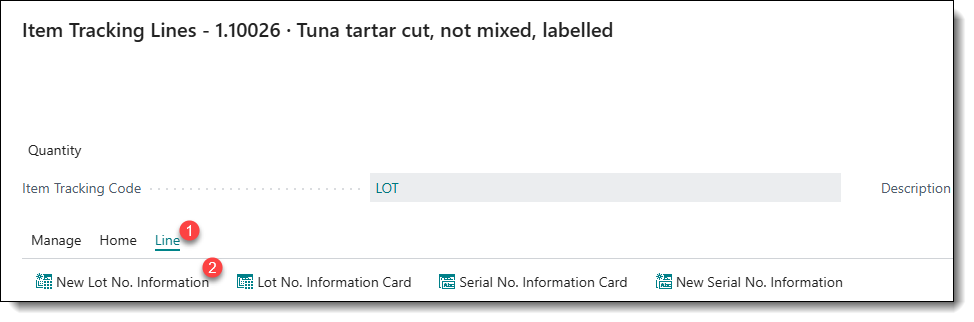
4.1. On the opened form the user has to click on Copy Info...
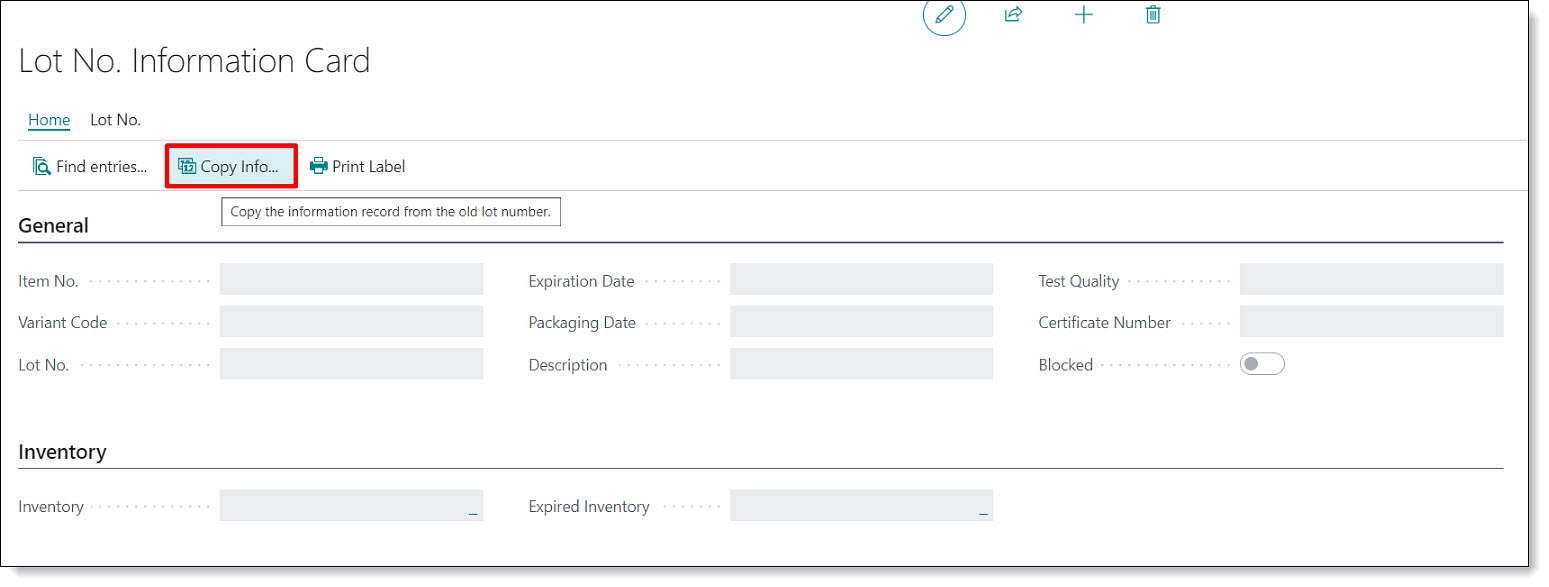
4.2. Click on the Lot No which is the similar to the current one.
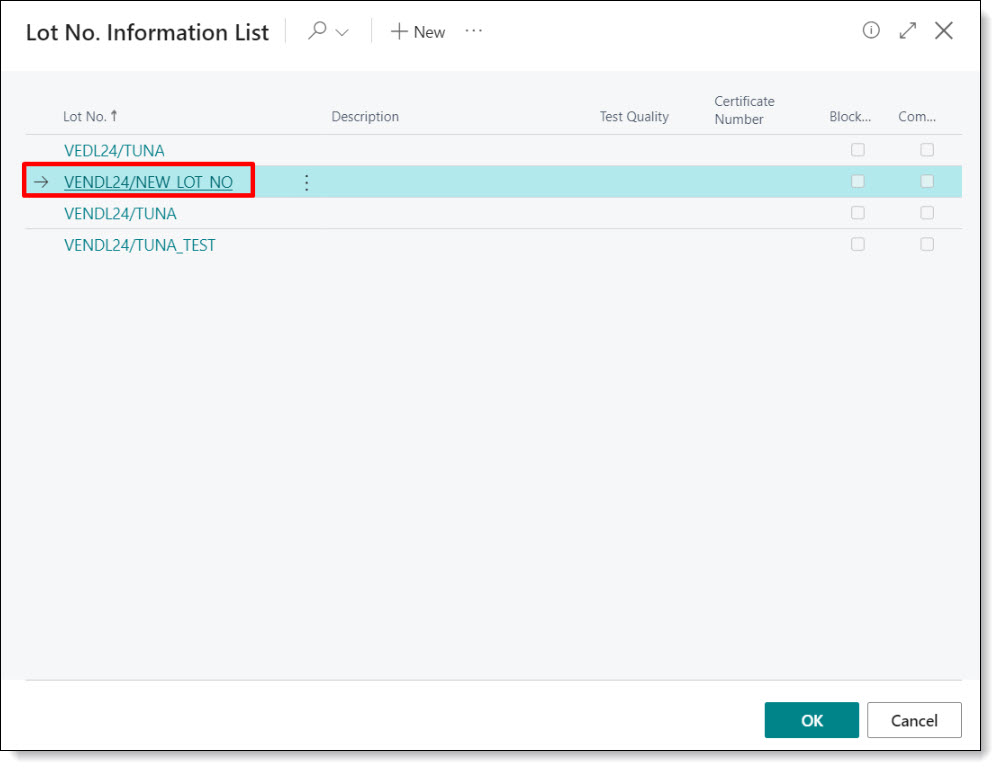
4.3. Information is then populated. The user has to enter the new Expiration date.
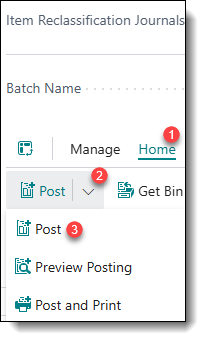
5. When all of the needed information is entered, the Item Reclassification Journal can be posted.
6. Now the new label can be printed from the FreshLot application.
