Stock counting (also known as inventory counting or physical inventory) is essential for ensuring accurate inventory records in Business Central. Regular counts help identify discrepancies, avoid stockouts, and maintain data integrity for financial reporting and supply chain management.
¶ Stock Counting Process in Business Central
Open Physical Inventory Journals and select a Batch. If necessary a new batch can be created directly in Batch list.
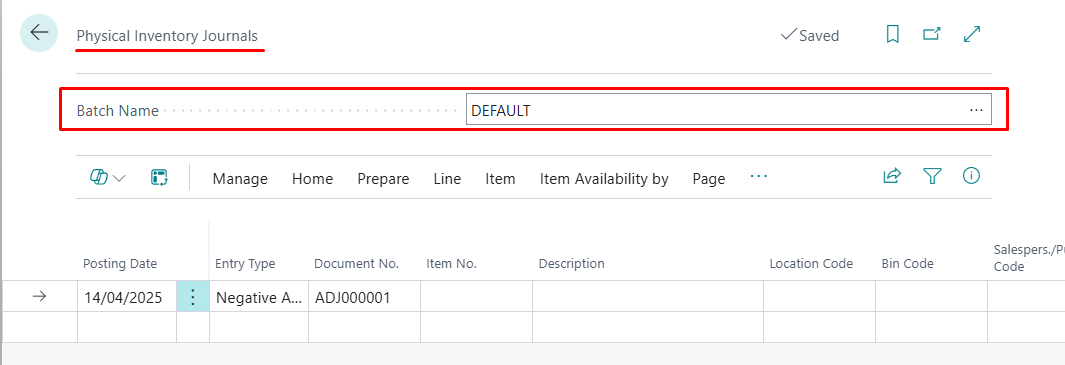
In order to generate the journal - Calculate Inventory function must be initialized.
Calculate Inventory function can be found in top toolbar - Prepare tab.
After Calculate Inventory is triggered - filter page will open up.
In Options specify:
- Posting Date
- Document No.
- Select whether Items that are currently not in stock should be populated with 0 quantity as well
In Items tab:
- Set the Item filter (Item Category, Item No & etc.)
- Select a Location in which Stock Counting will be done
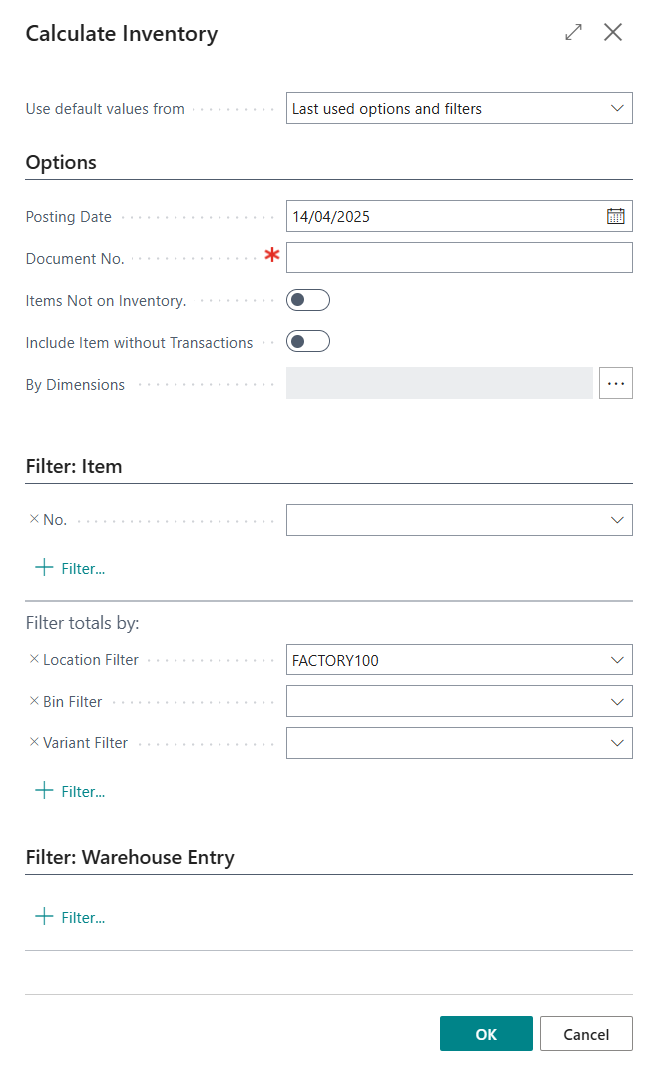
Confirm selected filters and lines in the Physical Journal will be generated.
Each line will contain Location code and Bin Code together with the currently available quantity in the system Qty. (Calculated).
- Qty. (Calculated) - currently available quantity in Business Central.
- Qty. (Phys. Inventory) - the actual quantity of item in the Location. Quantity has to be entered manually by the user.

Bin Code is not visible by default - it can be exposed using "Personalise" function in BC.
Entry Type value will change based on Qty. (Calculated) and Qty. (Phys. Inventory) values.
- If actual quantity is higher than Qty. (Calculated) - the difference will be put to "Quantity" field and Entry Type will change to Postiive Adjustment.
- If actual quantity is lover than Qty. (Calculated) - the difference will be put to "Quantity" field and Entry Type will change to Negative Adjustment.
Once all lines are updated - Journal can be posted. Based on the Quantity and Entry Type fields - Positive and Negative adjustments will be done automatically accordingly.