¶ Production Role
This role enables users to create and populate production orders through a user-friendly interface.
¶ Highlights:
- Raw material tracking
- Lot tracking
- Single login
- Fully integrated to Business Central
- Integrated with Zebra label printers & Handheld devices
¶ Production related configurations
¶ Hardware assignment
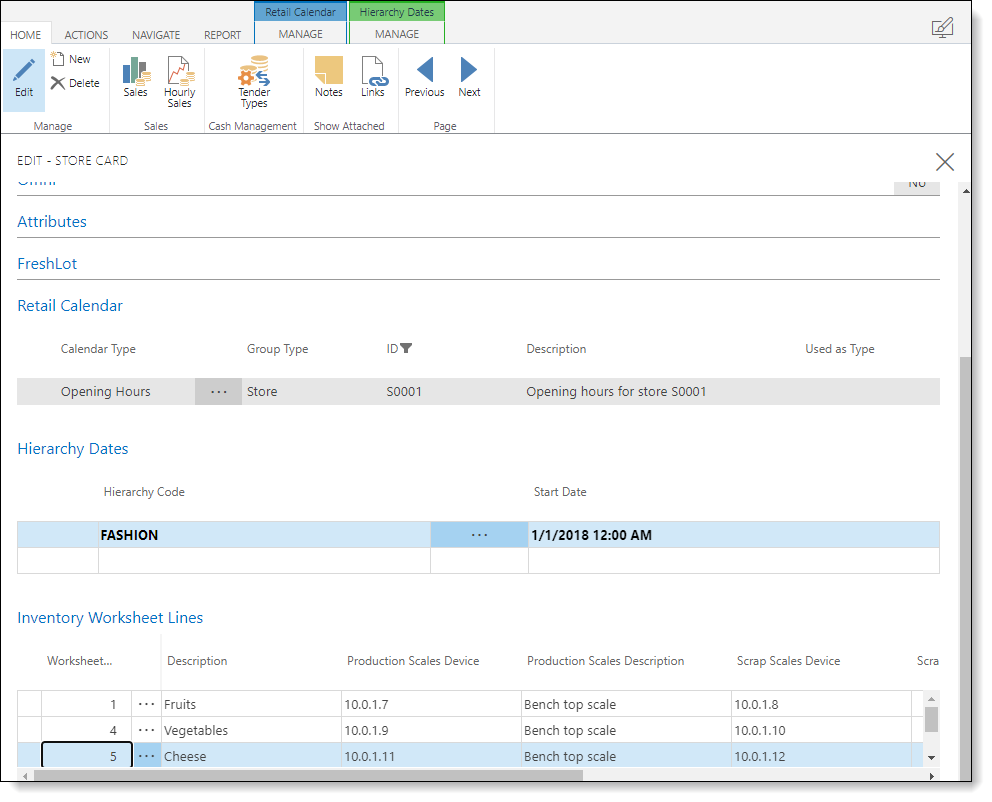
On the store card each department has a matching entry linked to the worksheet or stock request list the department is designated to.
Here both the scales and zebra printers are assigned to each workstation. Communication and integration with these peripheral devices is achived through our Unified Hardware Station solution a web-application based hardware hub.
¶ Item configurations
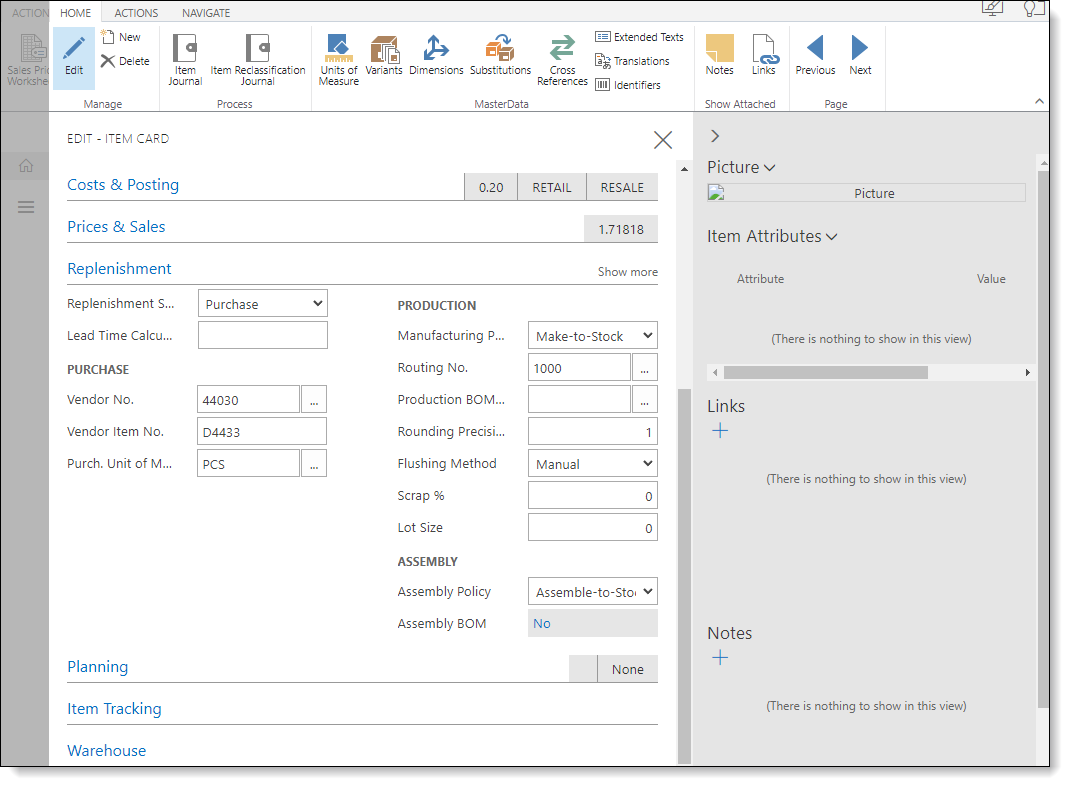
For an item to be produced through production orders a routing must be assigned, this is done on the standard item card. A blanket routing code can be created and assigned to all items.
¶ FreshLot Production
The list of items shown in the production order queue is managed by the stock request role, any updates or changes to individual lines inside the production application will be reflected on the stock request view aswell.
To start the process, select the item to be produced and scan in the mother code by barcode, this information will be made visible at the top of the screen showing which item you are producing from.
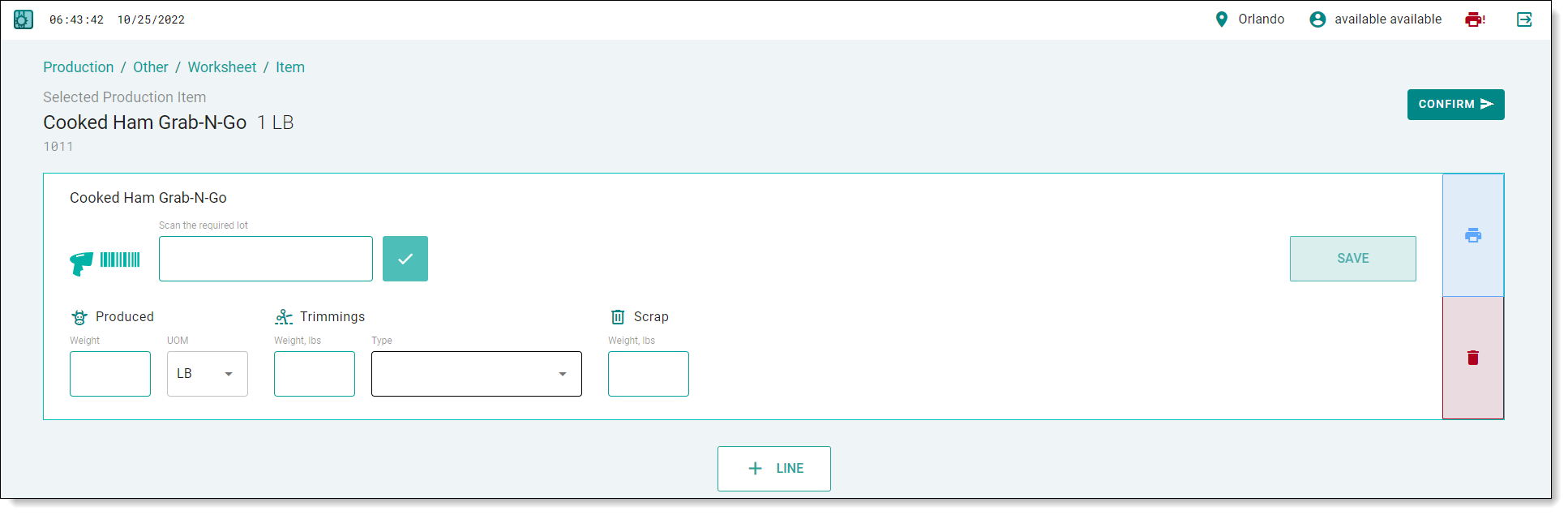
Here the user can input either manually or through an integrated scale the weight of produced goods, trimmings, and scrap.
Multiple lots or mother items can be utilized in the same production order by adding a new line and scanning the lot/mother item in.
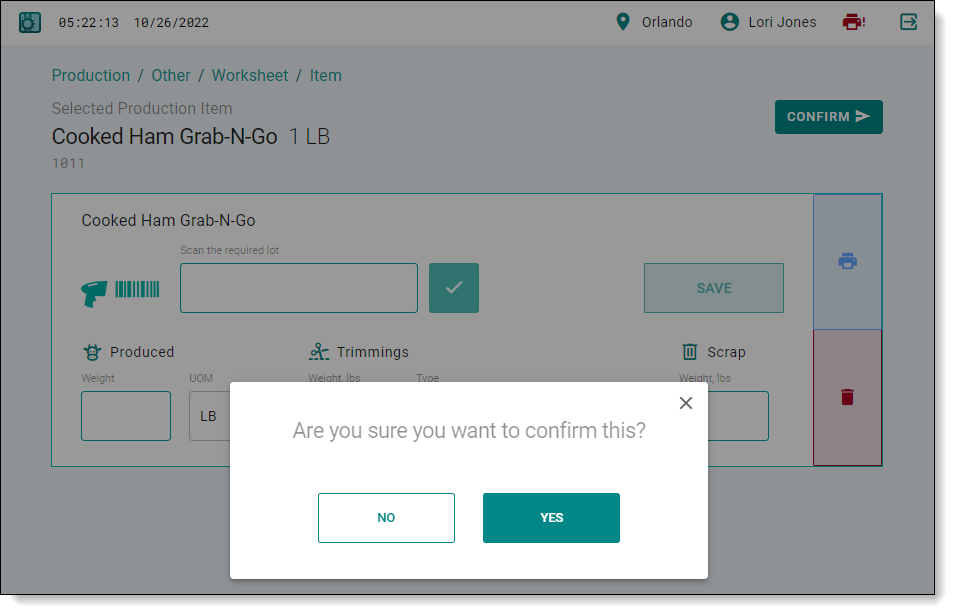
Once the product has been produced/processed the next step is confirming the production order by clicking the Confirm button, this action will set the production orders status to released and tag it as a Freshlot production order ready for the administration to validate and finish(post) the production order.

After pressing Confirm button a confirmation pop-up windows appears, asking to confirm the procedure.
¶ NAV Flow
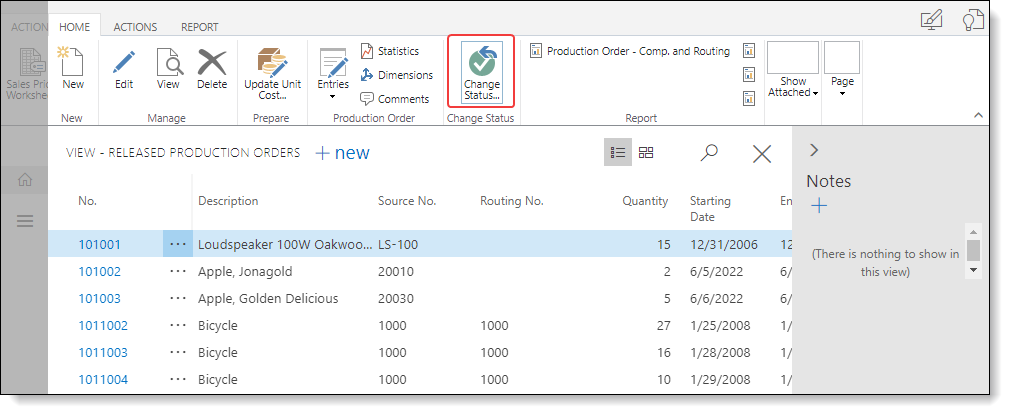
Once a production order has been confirmed in Freshlot it will be marked as released in nav, additionally the employee ID and Freshlot confirmation tick will be set allowing orders to be differentiated from manually created orders.
Note that for the Freshlot posting processes to take effect the “Freshlot confirmed” box must be ticked otherwise the production order posting will follow standard nav logic.
Once the released production order has been validated by an administrator the status can be updated to finished, this action will generate the item ledger entries for consumption, output, and scrap.